Source View
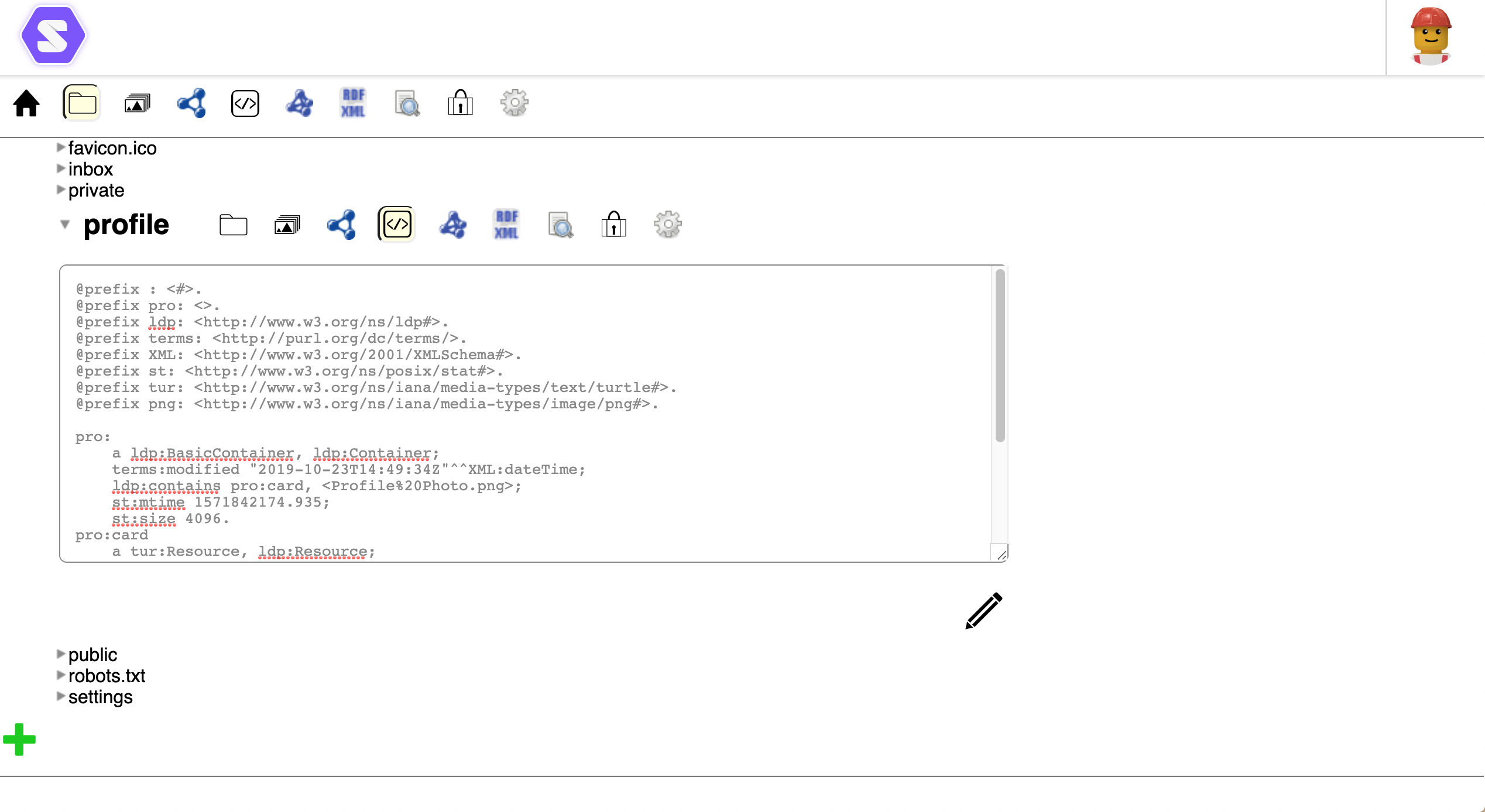
The Source view lets you view and edit the raw source code of data resources stored in your Solid Pod. This is essential for working with RDF data formats like Turtle, viewing HTML content, or editing any text-based resource.
Supported Formats
The Source view works with various text-based formats:
| Format | Extension | Description |
|---|---|---|
| Turtle | .ttl | RDF serialization format (most common in Solid) |
| JSON-LD | .jsonld | JSON-based RDF format |
| RDF/XML | .rdf | XML-based RDF format |
| N-Triples | .nt | Line-based RDF format |
| HTML | .html | Web pages and documents |
| Plain Text | .txt | Simple text files |
| JSON | .json | JavaScript Object Notation |
| Markdown | .md | Lightweight markup |
Viewing Source
To display the Source view:
- Navigate to the resource in the SolidOS Databrowser
- Click the
 Source icon in the view selector
 - The raw source content is displayed in a text panel
The Source view shows the exact content stored on the server, without any interpretation or rendering.
Editing Source
To edit a resource's source:
- Click
 below the Source view panel
 - The text becomes editable
- Make your changes directly in the text area
You need write permission on the resource to edit it. If the Edit button is not visible, you may not have sufficient access.
Saving Changes
To save your edits:
- Click
 (the checkmark icon) below the panel
 - SolidOS validates the syntax based on the file type:
- Valid syntax: Changes are saved to the server
- Invalid syntax: An error message describes the issue
Validation
For RDF formats (Turtle, JSON-LD, etc.), SolidOS checks that:
- The syntax is correct
- URIs are properly formatted
- Prefixes are defined before use
Fix any reported errors before saving.
Canceling Edits
To discard changes without saving:
- Click
 (the X icon) below the panel
 - Your edits are discarded
- The original content is restored
Common Use Cases
Viewing ACL Files
Access Control List (.acl) files control permissions. Use Source view to:
- See who has access to a resource
- Understand permission rules
- Debug access issues
Editing Profile Data
Your profile (card#me) is stored as Turtle. Use Source view to:
- Add custom properties
- Fix malformed data
- Add vocabulary prefixes
Creating New Resources
When creating resources via the Source view:
- Navigate to a folder
- Use the create option to make a new file
- Enter the content in Source view
- Save to create the resource
Debugging Data Issues
When other views don't display correctly:
- Open Source view to see the raw data
- Check for syntax errors or malformed triples
- Fix issues directly in the source
Tips
- Prefixes: In Turtle files, define prefixes at the top (e.g.,
@prefix foaf: <http://xmlns.com/foaf/0.1/> .) - Backup: Copy content before major edits in case you need to restore
- Validation: Use external validators for complex RDF if SolidOS reports errors
User Role
The Source view is available to all users by default. See User Roles for more information.